Tutorial 1 of 7
Your first robot program in 5 minutes
Beginner 5 min
Open a template, play the motion, change a waypoint and save the project — a quick tour of the Kinetica workspace.
Kinetica runs completely in your browser. Nothing to install, no account — your work autosaves in this browser while you edit.
1. Pick a template
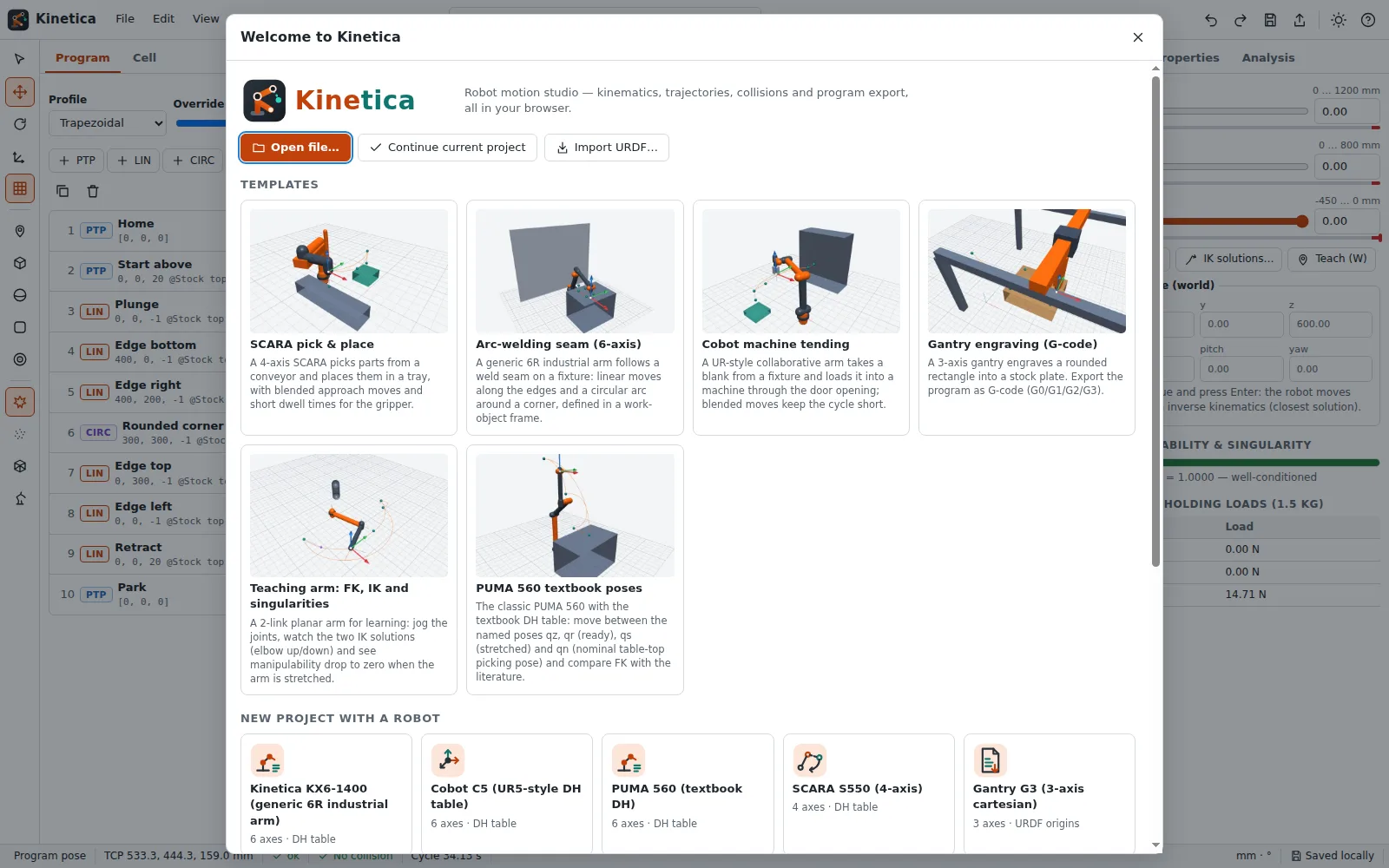
When you launch Kinetica the Welcome screen opens. Choose SCARA pick & place under Templates. (You can always come back with File → New project… or Ctrl+N.)
The workspace has five areas:
- the menu bar and quick buttons at the top,
- the tool palette on the far left (orbit, move/rotate gizmo, add waypoints and obstacles),
- the Program / Cell panel on the left,
- the 3D viewport in the middle,
- the Jog / Properties / Analysis panel on the right,
- the timeline and plots at the bottom and the status bar below them.
2. Look around
- Drag in the viewport to orbit, right-drag (or Shift-drag) to pan, scroll to zoom.
- Press
Fto fit the cell,1/3/7/0for front, side, top and isometric views.
3. Play the motion
Press Space (or the ▶ button in the timeline). The robot runs the program: a PTP move above the conveyor, a LIN move down to the part, a short dwell, and so on. Drag the timeline slider to scrub; the plots below show joint positions, and the orange cursor follows the time.
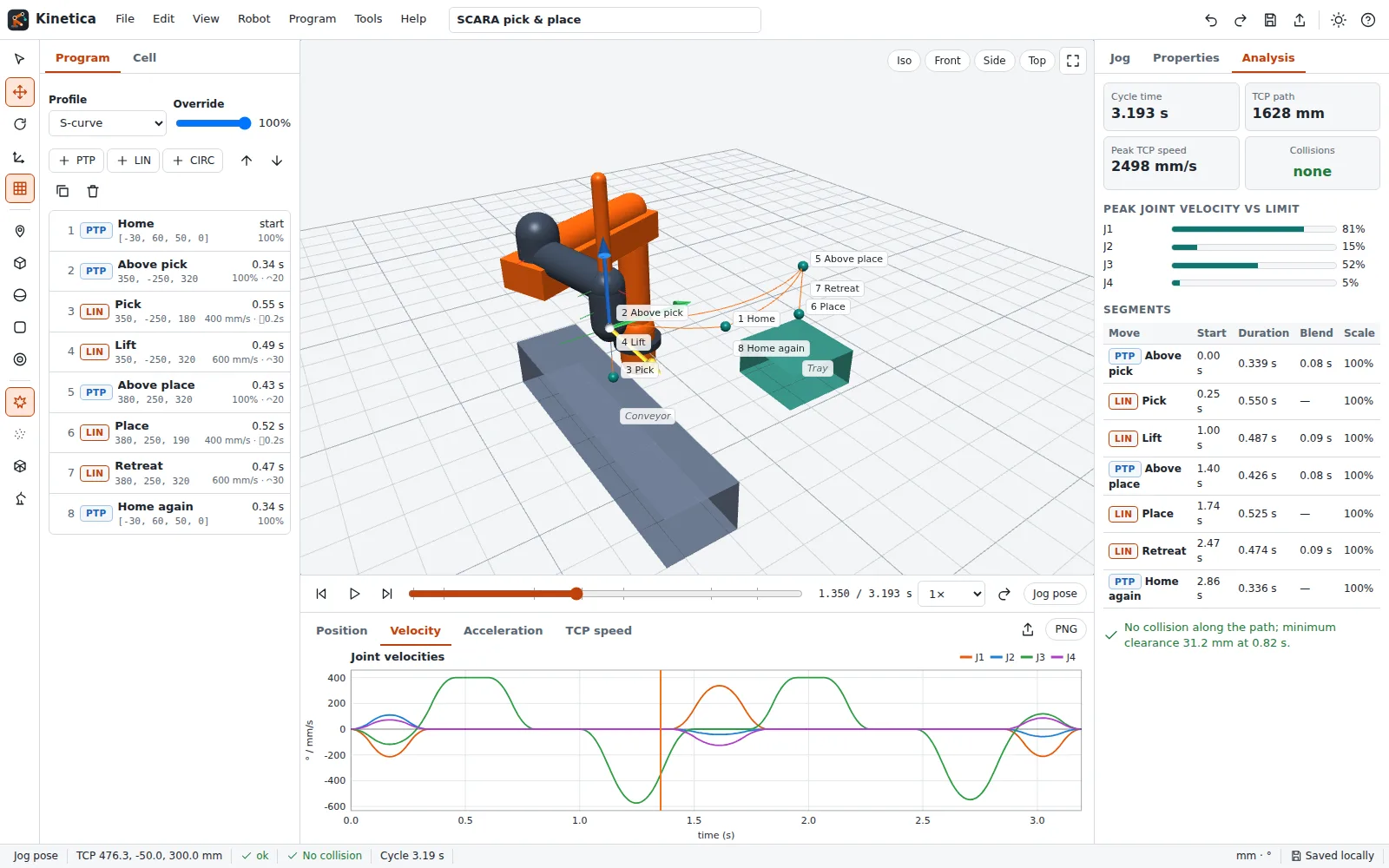
The status bar shows the TCP position, the singularity indicator, the collision state and the cycle time (about 3.2 s for this template).
4. Change a waypoint
- Click Place in the waypoint list. The Properties tab opens on the right.
- Change TCP speed from 400 to 200 mm/s and press
Enter. - The program re-plans immediately: the move takes longer and the cycle time in the status bar goes up.
Every change is undoable with Ctrl+Z and redoable with Ctrl+Shift+Z.
5. Save
Kinetica autosaves to your browser (the status bar says Saved locally). To keep a file, press Ctrl+S: you get a .kinetica.json project file you can open again, share or hand to an AI agent.
Next: [Jog, teach and inverse kinematics](02-jog-teach-and-inverse-kinematics).