 Robot motion studio

Simulate robot arms in your browser: kinematics, trajectories, collisions, program export.
Kinetica is a free robot motion studio that runs entirely in your browser. Load a 6-axis industrial arm, a UR-style cobot, a SCARA, a gantry or a planar teaching arm (or define your own with DH tables or URDF), jog it in a WebGL 3D view, drag the TCP with live inverse kinematics and program PTP, LIN and CIRC moves with blending. It plans trapezoidal, quintic and S-curve trajectories within joint limits, checks collisions, estimates cycle time and exports CSV/JSON motion plans, G-code and readable KRL-like and RAPID-like program templates.

Screenshots
 The workspace: robot, cell, program and timeline in one window.
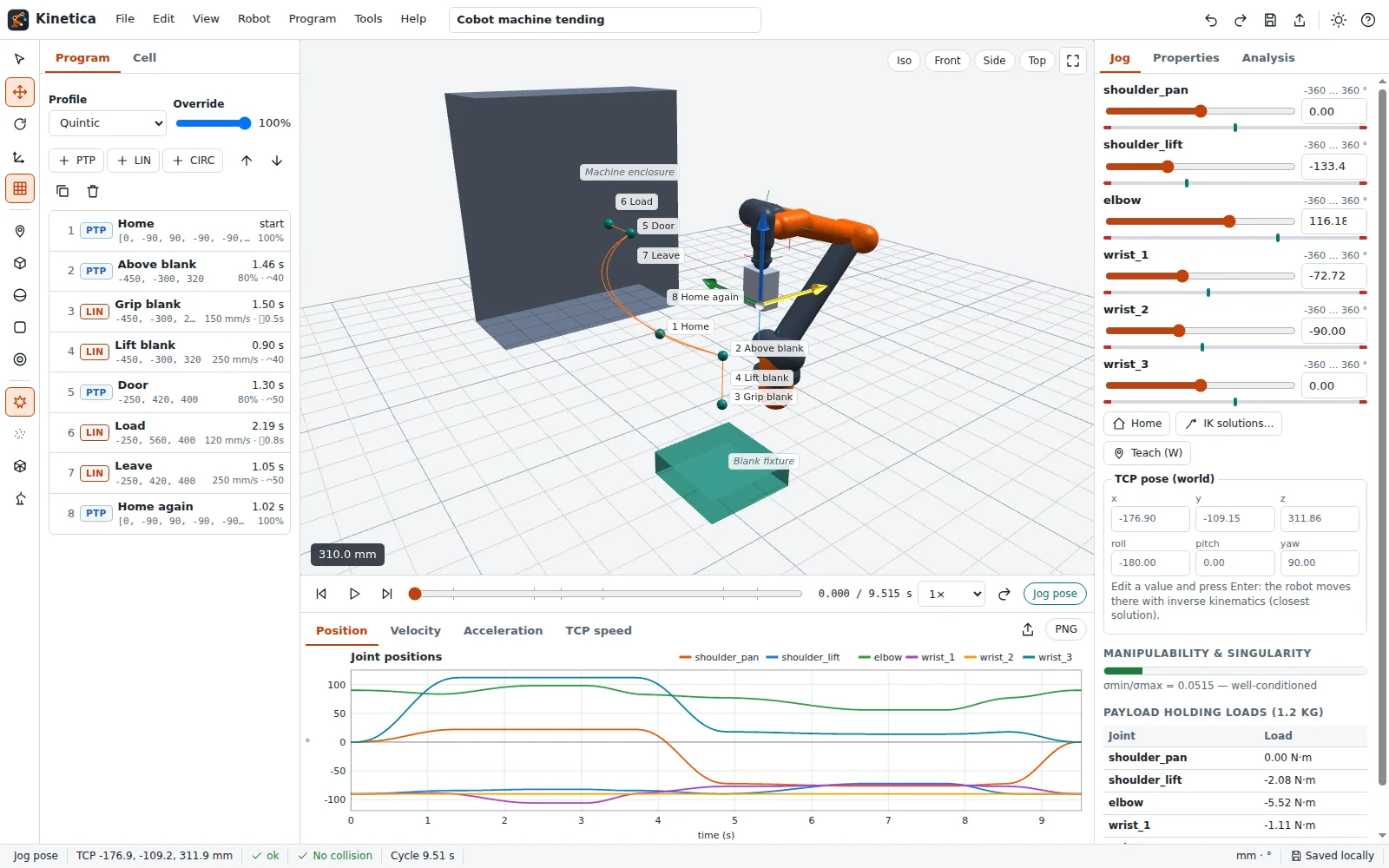 Drag the TCP gizmo and the joints follow through live IK.
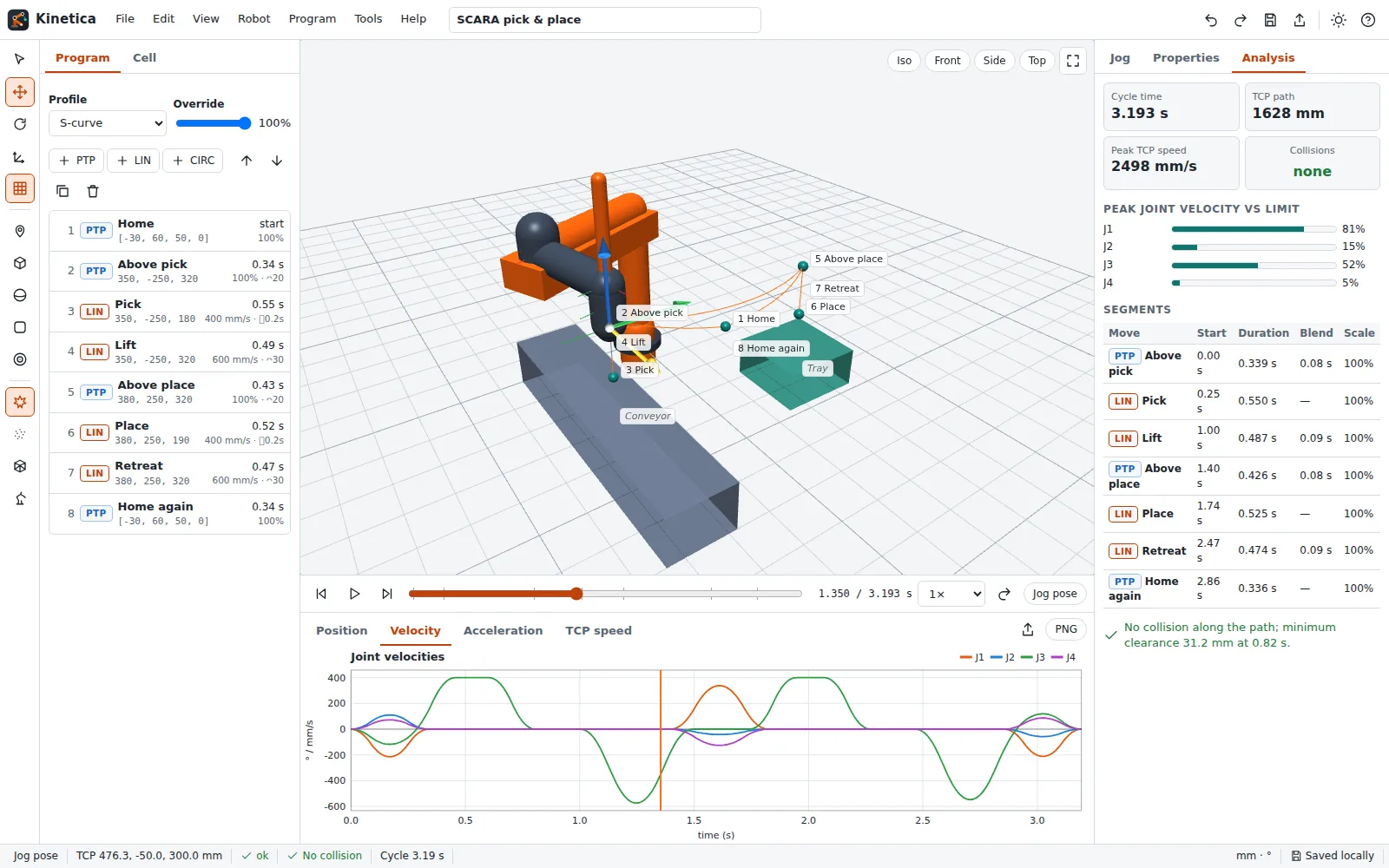 Joint position, velocity and acceleration plots with limit lines.
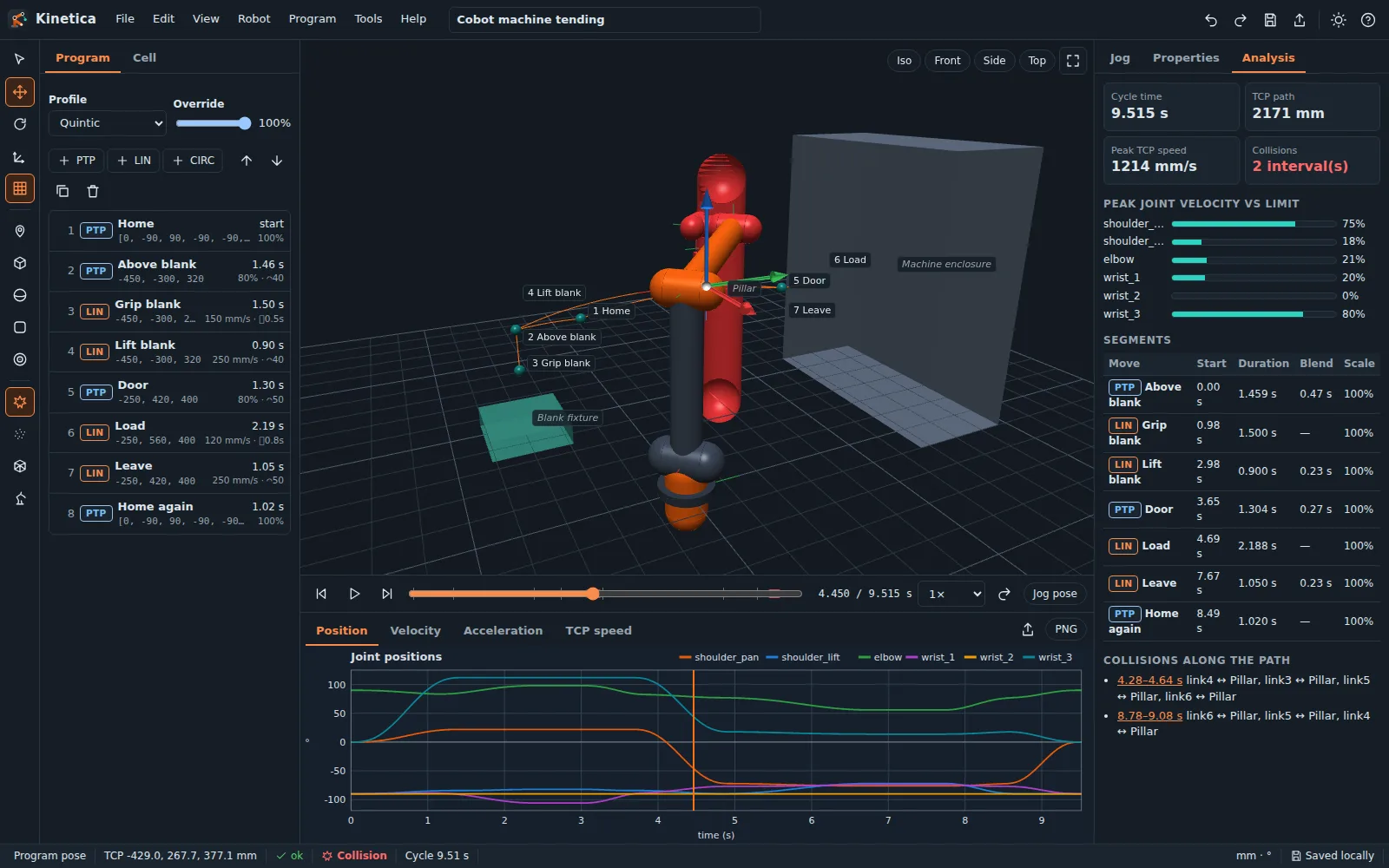 Collisions are highlighted and pinned on the timeline.
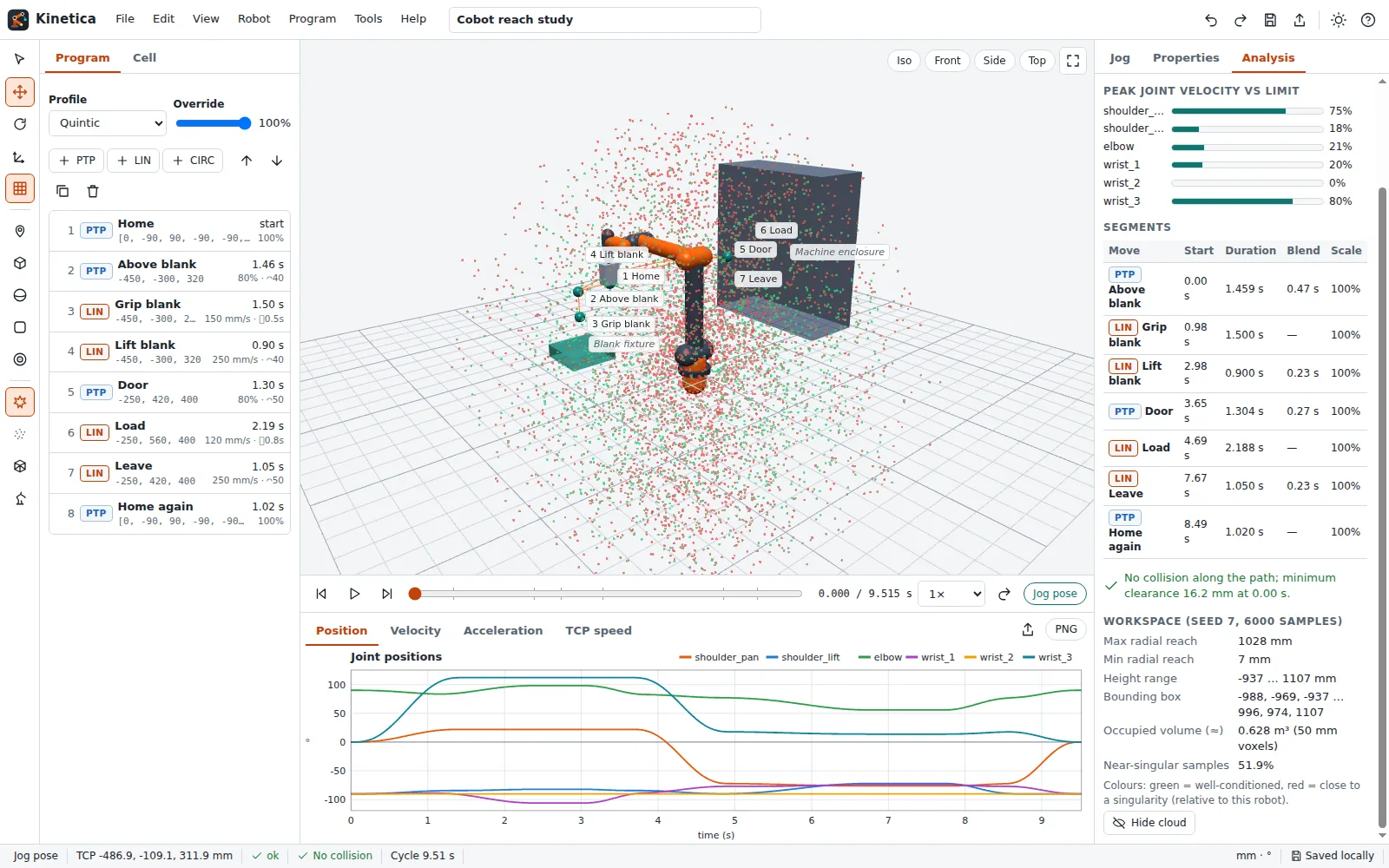 Seeded workspace sampling coloured by manipulability.
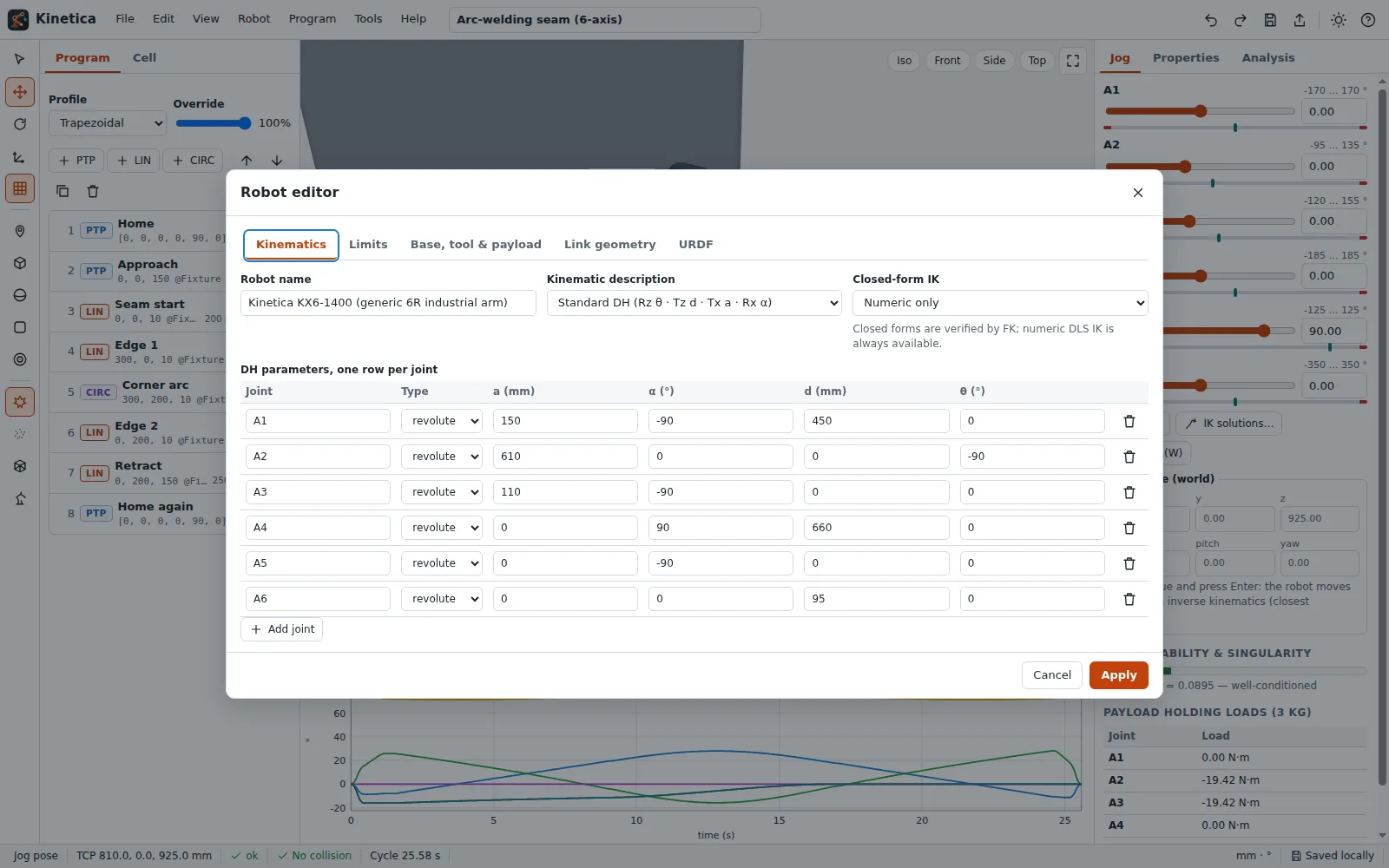 Edit DH tables, limits and link geometry; import or export URDF.
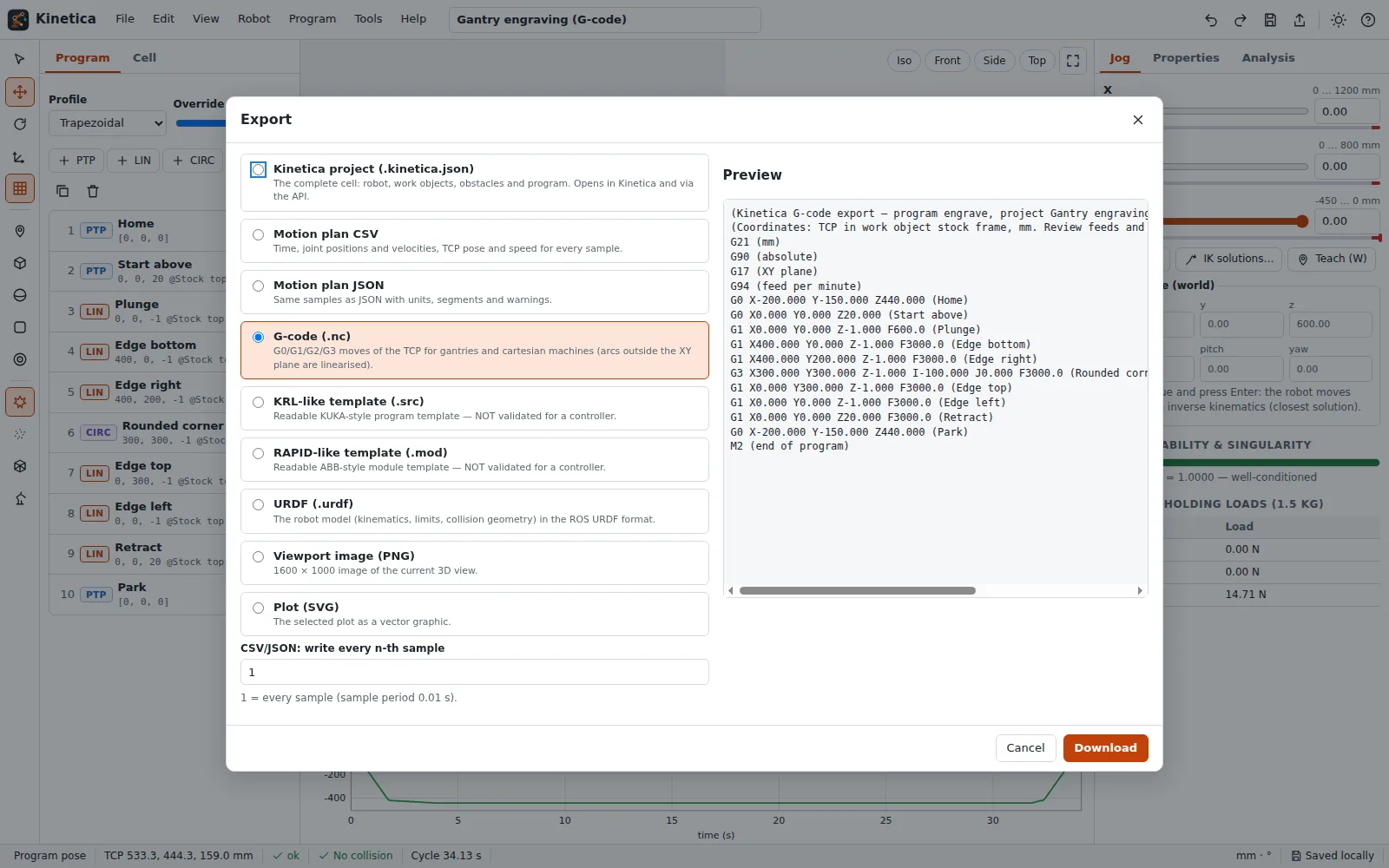 Gantries program like CNC machines and export G-code.
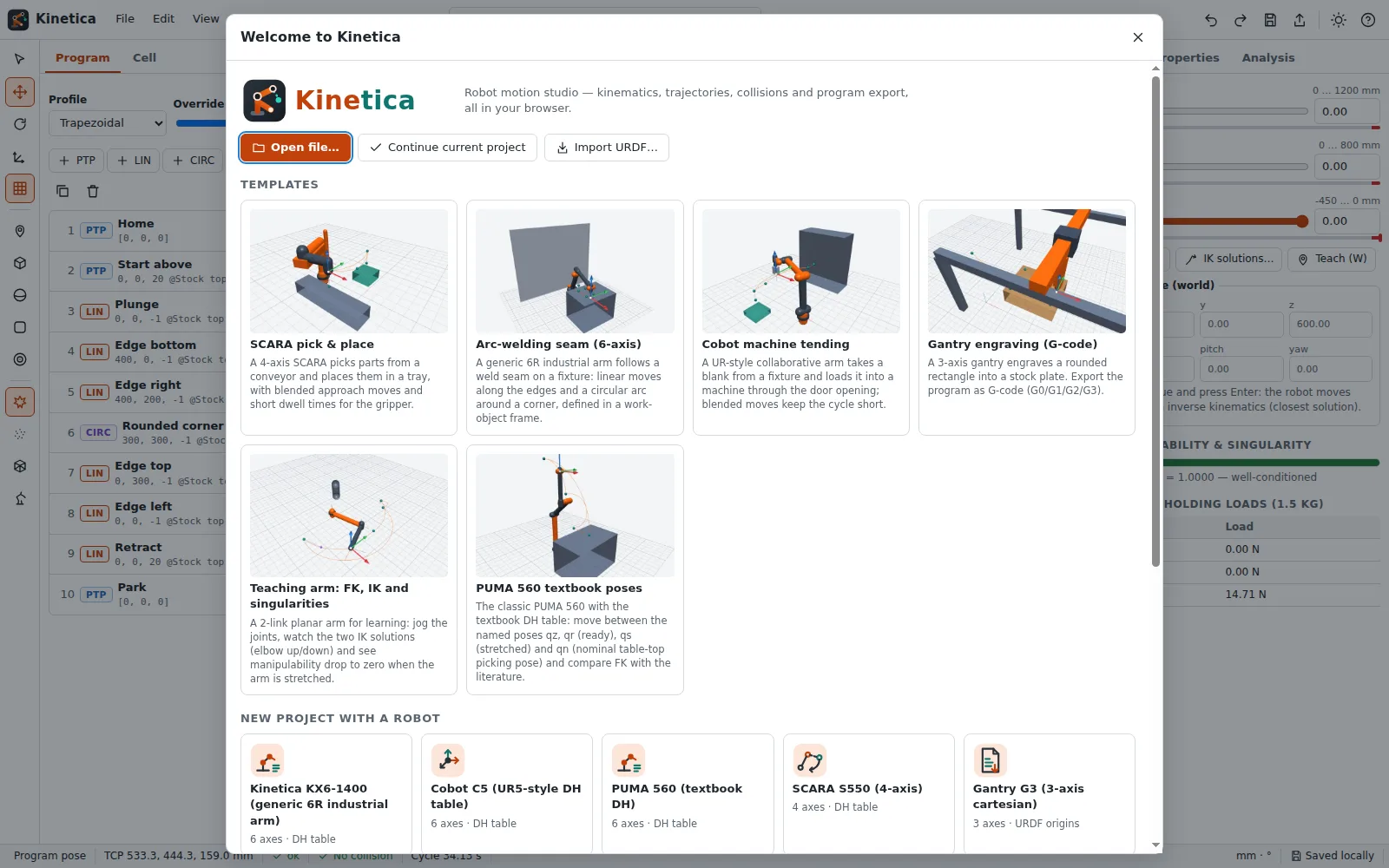 Start from a template or a recent project.
Features
Robot library
Generic 6R industrial arm, UR-style cobot (published UR5 DH table), PUMA 560 textbook model, SCARA, XYZ gantry and a 2-link planar teaching arm.
Robot editor
Standard and modified DH tables or URDF-style joint origins, joint limits, velocity and acceleration limits, link geometry as capsules, cylinders, spheres and boxes.
URDF import & export
Read and write a practical URDF subset: links, revolute/continuous/prismatic/fixed joints, origins, limits and box/cylinder/sphere geometry.
WebGL 3D viewport
Orbit, pan and zoom, grid floor, frame triads, solid or wireframe rendering, view presets and a print-ready snapshot.
TCP gizmo with live IK
Drag the tool centre point along its axes and watch the joints follow; jog sliders for every joint with limit bars.
Forward & inverse kinematics
Exact FK, damped-least-squares IK from several seeds, closed forms for planar arms and SCARAs, all solutions listed with residuals.
Jacobian & singularities
Geometric Jacobian, Yoshikawa manipulability and a live singularity indicator, plus static payload torques.
Workspace cloud
Seeded point-cloud sampling of the reachable workspace, coloured by manipulability, with reach and volume estimates.
Motion programming
Waypoint list with PTP, LIN and CIRC moves, work-object frames, tool offsets, speeds, blend radii and dwell times.
Velocity profiles
Trapezoidal, quintic (minimum jerk) and jerk-limited S-curve profiles that respect every joint limit.
Timeline & plots
Play, pause, scrub and change speed; joint position, velocity, acceleration and TCP-speed plots export as PNG and SVG.
Collision checking
Links against boxes, spheres and capsules plus self-collision, with highlighted links, clearance and the first contact on the timeline.
Cycle time
Per-move timing, blend overlaps, dwell times and peak joint velocities as a share of their limits.
Program export
Motion plan CSV/JSON, G-code for gantries, and readable KRL-like and RAPID-like templates for a programmer to finish.


Templates
Start from a ready-made project and change it to fit.
SCARA pick & place
A 4-axis SCARA picks parts from a conveyor and places them in a tray, with blended approach moves and short dwell times for the gripper.
Arc-welding seam (6-axis)
A generic 6R industrial arm follows a weld seam on a fixture: linear moves along the edges and a circular arc around a corner, defined in a work-object frame.
Cobot machine tending
A UR-style collaborative arm takes a blank from a fixture and loads it into a machine through the door opening; blended moves keep the cycle short.
Gantry engraving (G-code)
A 3-axis gantry engraves a rounded rectangle into a stock plate. Export the program as G-code (G0/G1/G2/G3).
Teaching arm: FK, IK and singularities
A 2-link planar arm for learning: jog the joints, watch the two IK solutions (elbow up/down) and see manipulability drop to zero when the arm is stretched.
PUMA 560 textbook poses
The classic PUMA 560 with the textbook DH table: move between the named poses qz, qr (ready), qs (stretched) and qn (nominal table-top picking pose) and compare FK with the literature.
For AI agents
Kinetica runs on a deterministic engine. The same functions are available as tools with a JSON API and MCP, so scripts and AI agents get exactly the results the app shows.
- Kinetica Forward Kinematics – DH table or URDF + joint values → TCP pose, every joint frame, Jacobian and manipulability.
Tool page ·POST https://kinetica.usefulweb.site/api/v1/tools/kinetica-forward-kinematics/calculate· MCPkinetica_forward_kinematics - Kinetica Inverse Kinematics – Target TCP pose → all joint solutions found, residuals, joint limits and reachability.
Tool page ·POST https://kinetica.usefulweb.site/api/v1/tools/kinetica-inverse-kinematics/calculate· MCPkinetica_inverse_kinematics - Kinetica Trajectory Planner – Waypoints (PTP, LIN, CIRC) + limits → timed joint samples, cycle time and peak velocities.
Tool page ·POST https://kinetica.usefulweb.site/api/v1/tools/kinetica-trajectory-planner/calculate· MCPkinetica_trajectory_planner - Kinetica Collision Check – Robot pose + obstacles → collisions, minimum clearance and self-collision between links.
Tool page ·POST https://kinetica.usefulweb.site/api/v1/tools/kinetica-collision-check/calculate· MCPkinetica_collision_check
- MCP endpoint (Streamable HTTP):
https://kinetica.usefulweb.site/mcp - Project file format (JSON Schema): https://kinetica.usefulweb.site/project.schema.json
- OpenAPI description: /openapi.json · llms.txt · API & MCP
Build a project through the API, then open it in the app with a link to https://kinetica.usefulweb.site/app#project=<base64url JSON>.
Import & export
Import
- Kinetica project (.kinetica.json)
- URDF subset (.urdf, .xml)
- Robot JSON (.json)
Export
- Kinetica project (.kinetica.json)
- Motion plan CSV
- Motion plan JSON
- G-code (.nc / .gcode)
- KRL-like template (.src)
- RAPID-like template (.mod)
- URDF (.urdf)
- PNG (viewport, plots)
- SVG (plots)
- Print view
Keyboard shortcuts
| Keys | Action |
|---|---|
| Space | Play / pause the timeline |
| Home / End | Jump to start / end of the program |
| ← / → | Step the timeline (Shift = 1 s) |
| Ctrl + Z / Ctrl + Shift + Z | Undo / redo |
| Ctrl + S | Save project file |
| Ctrl + O | Open project file |
| Ctrl + N | New project |
| Ctrl + C / Ctrl + V / Ctrl + D | Copy / paste / duplicate the selected waypoint or obstacle |
| Delete | Delete the selection |
| W | Add a waypoint at the current pose |
| G | Toggle the TCP gizmo |
| F | Fit the view to the cell |
| 1 / 3 / 7 / 0 | Front / side / top / isometric view |
| X | Toggle wireframe |
| ? | Show all keyboard shortcuts |
Frequently asked questions
Is Kinetica really free and does it upload my robot cell?
Yes, it is free, and everything runs in your browser. Projects autosave to your browser’s storage (IndexedDB) and are only sent anywhere if you download or share the file yourself.
Can I run the exported KRL or RAPID program on my robot?
Not as is. The KRL-like and RAPID-like files are clearly labelled templates: they carry your targets, speeds and zones in a readable form, but tool/base data, configuration (S/T or confdata) and safety settings must be set and verified by a programmer on the real controller.
How accurate is the cycle time?
It is a kinematic estimate: every move respects the joint velocity and acceleration limits you enter. Real controllers add dynamics limits, look-ahead and servo lag, so expect real cycle times to differ by several percent.
Which robots can I model?
Any serial chain of up to 12 revolute or prismatic joints, described by a standard or modified DH table or URDF-style joint origins. Parallel robots (delta, hexapod) are not supported yet.
What happens near a singularity?
The status bar shows the singularity indicator (σmin/σmax). IK uses damped least squares, which stays stable but slows down; LIN moves that would need excessive joint speeds are slowed automatically and flagged.
Can AI agents use Kinetica?
Yes. Forward kinematics, inverse kinematics, trajectory planning and collision checking are available as API and MCP tools, and an agent can build a .kinetica.json project that you open in the app with one click.
Limitations
What Kinetica does not do (yet):
- Kinematic simulation only: no rigid-body dynamics, motor torque limits, friction or servo lag.
- Serial chains only (up to 12 joints); delta and other parallel robots are not supported.
- URDF: meshes are skipped (use boxes, cylinders and spheres), only one serial chain is imported, mimic joints and transmissions are ignored.
- Collision geometry is a capsule/box envelope; cylinders are approximated by capsules or equal-area prisms.
- Blending superposes neighbouring moves in joint space; the blended path is close to, but not exactly, a circular arc.
- KRL-like and RAPID-like exports are templates for a programmer, not validated controller programs.
- Phones get a simplified view; editing is designed for desktop and tablet.
Tutorials
Learn Kinetica step by step.
- Your first robot program in 5 minutesOpen a template, play the motion, change a waypoint and save the project — a quick tour of the Kinetica workspace.Beginner 5 min
- Jog, teach and inverse kinematicsMove the robot with joint sliders and the TCP gizmo, teach waypoints, compare IK solutions and spot singularities.Beginner 10 min
- Paths, velocity profiles and blendingCombine PTP, LIN and CIRC moves, choose trapezoidal, quintic or S-curve profiles, round corners with blend radii and read the plots.Intermediate 12 min
- Collision checking and cell layoutAdd obstacles and work objects, find collisions along the whole path and fix them by moving waypoints or obstacles.Intermediate 10 min
- Custom robots: DH tables, URDF, tools and payloadDescribe your own robot with standard or modified DH parameters or URDF joint origins, set limits, geometry, tool and payload, and import or export URDF.Advanced 15 min
- Export G-code, KRL-like and RAPID-like programsExport motion plans as CSV/JSON, gantry programs as G-code, and readable KRL-like and RAPID-like templates for a robot programmer.Intermediate 8 min
- Automate with the API / MCPCall Kinetica's forward kinematics, inverse kinematics, trajectory planner and collision check over HTTP or MCP, with real request and response examples.Advanced 12 min
Ready to try it?
Other premium apps
-

Kerfwise
Cabinet & furniture CAD
Design cabinets and furniture, get cut lists, optimised sheet layouts, costs and drawings.
-

Threadsmith
Embroidery digitizing studio
Draw or import artwork, turn it into real stitches, and export DST/EXP for your machine.
-

Ohmforge
Virtual electronics workbench
Draw a circuit, switch it on, and measure it with real-feeling bench instruments.
-

Twinworks
Factory digital twin & production simulation
Model a production line, simulate it and find the bottleneck — free, in your browser.