Tutorial 2 of 7
Jog, teach and inverse kinematics
Beginner 10 min
Move the robot with joint sliders and the TCP gizmo, teach waypoints, compare IK solutions and spot singularities.
This tutorial uses the Cobot machine tending template (a UR-style arm with the published UR5 DH table).
Jog the joints
Open the Jog tab on the right. Each joint has a slider, a number field and a limit bar; the marker turns red in the last 3 % of the range.
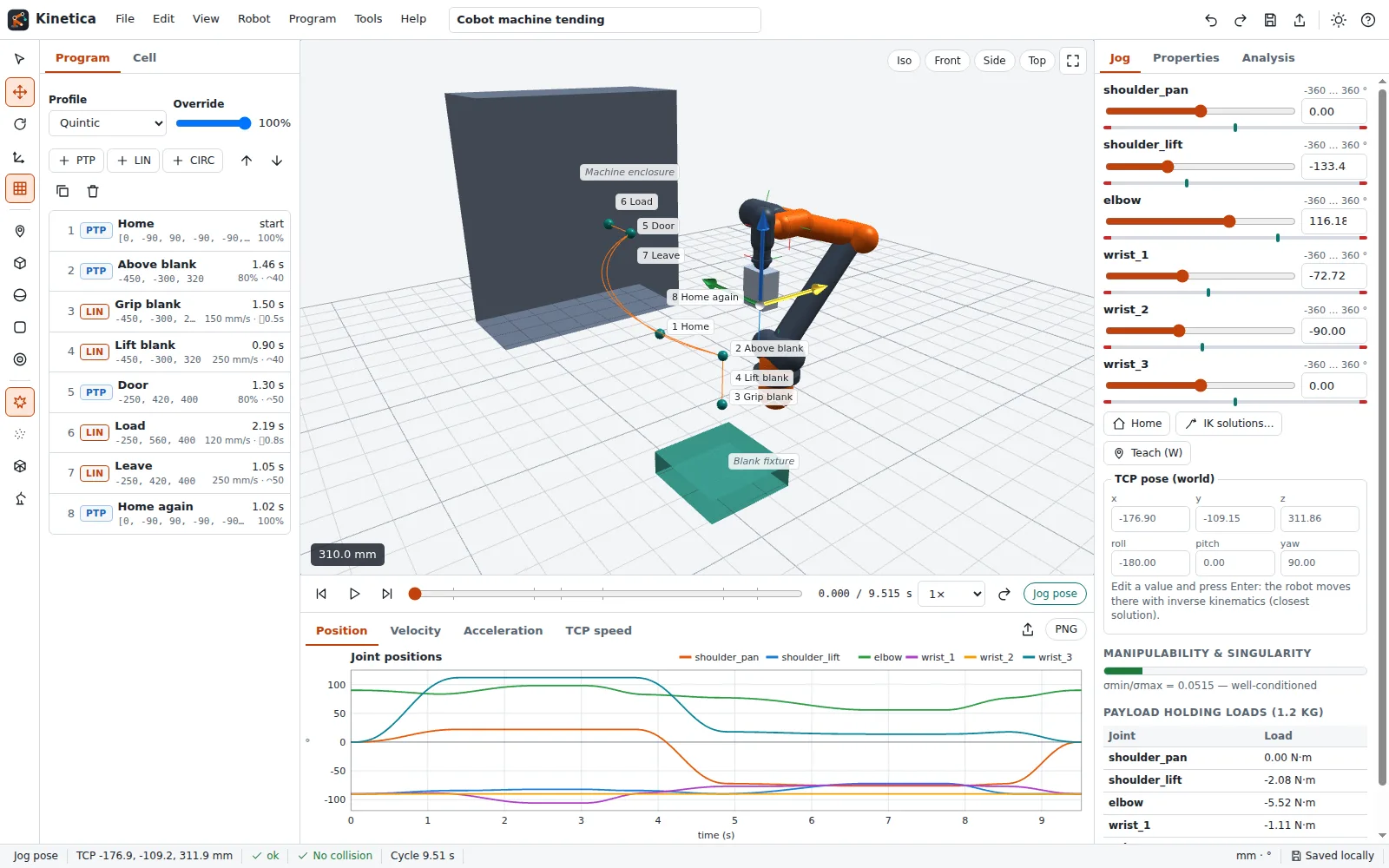
Below the sliders you see the TCP pose in world coordinates. Type a new value (for example z = 350) and press Enter: Kinetica solves inverse kinematics and moves to the closest solution.
Drag the TCP gizmo
Select the move gizmo in the tool palette (or press G). Three arrows appear at the TCP:
- drag an arrow to move along that axis; the joints follow live through damped-least-squares IK,
- press
Rfor the rotate gizmo and drag a ring to turn the tool, - the axis-frame button switches between world and tool axes,
- with snapping on, moves snap to the snap step (Settings) and rotations to 5°.
If the target is out of reach the gizmo turns red and the status bar says Target not reachable; the arm stays at the closest pose.
Teach a waypoint
Press W to add a PTP waypoint at the current pose (or L for a LIN waypoint). It is inserted after the selected waypoint. Double-click a waypoint to go back to it; right-click for Set from current pose, Change to LIN, Duplicate and more.
Compare IK solutions
Robot → Inverse kinematics solutions… solves for a typed pose from several seeds: the current pose, the home pose and seeded random restarts. Every distinct solution is listed with its residual, the σmin/σmax singularity indicator and an Apply button.
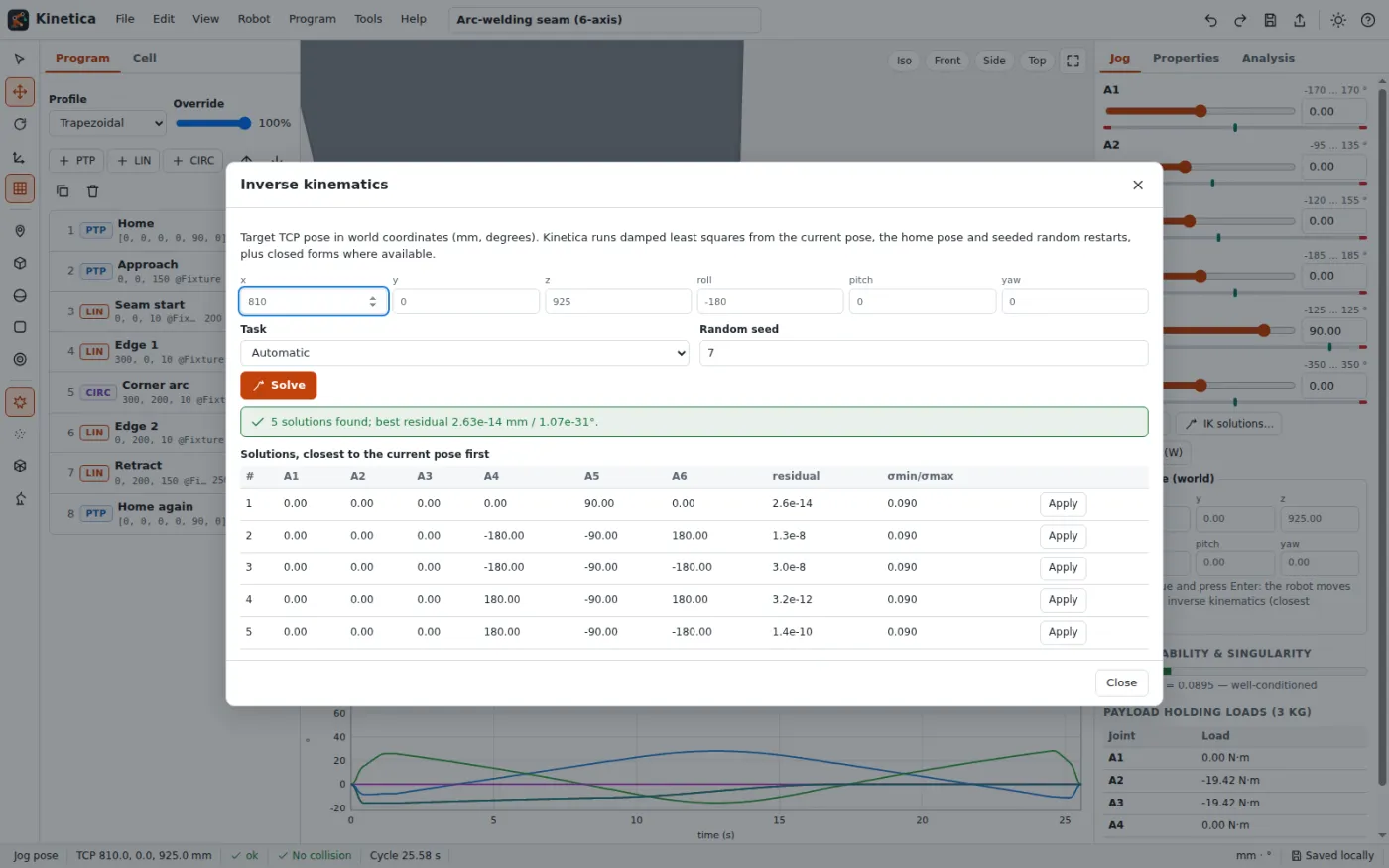
For the generic 6-axis arm and the target (700, 200, 600) mm with the tool pointing down, Kinetica finds four solutions within the joint limits; the best one is [15.95, 1.60, 40.89, 0, 47.50, 15.95]° with a position residual of about 6e-8 mm. Planar arms and SCARAs use closed-form solutions (elbow up and elbow down) that are verified by forward kinematics.
Watch the singularity indicator
The Manipulability & singularity meter shows σmin/σmax of the normalised Jacobian: 1 is ideal, values below 0.03 are near-singular and below 0.001 singular. Stretch the arm fully or line up two wrist axes and watch the meter turn red. Tools → Singularity scan of the program jumps to the worst moment of the current program.
Next: [Paths, velocity profiles and blending](03-paths-profiles-and-blending).